
Introduction to JDoodle AI
JDoodle AI is JDoodle’s artificial intelligence tool for coding-related tasks. It is currently nested under JDoodle’s IDE. Here are the current tasks that it can perform:
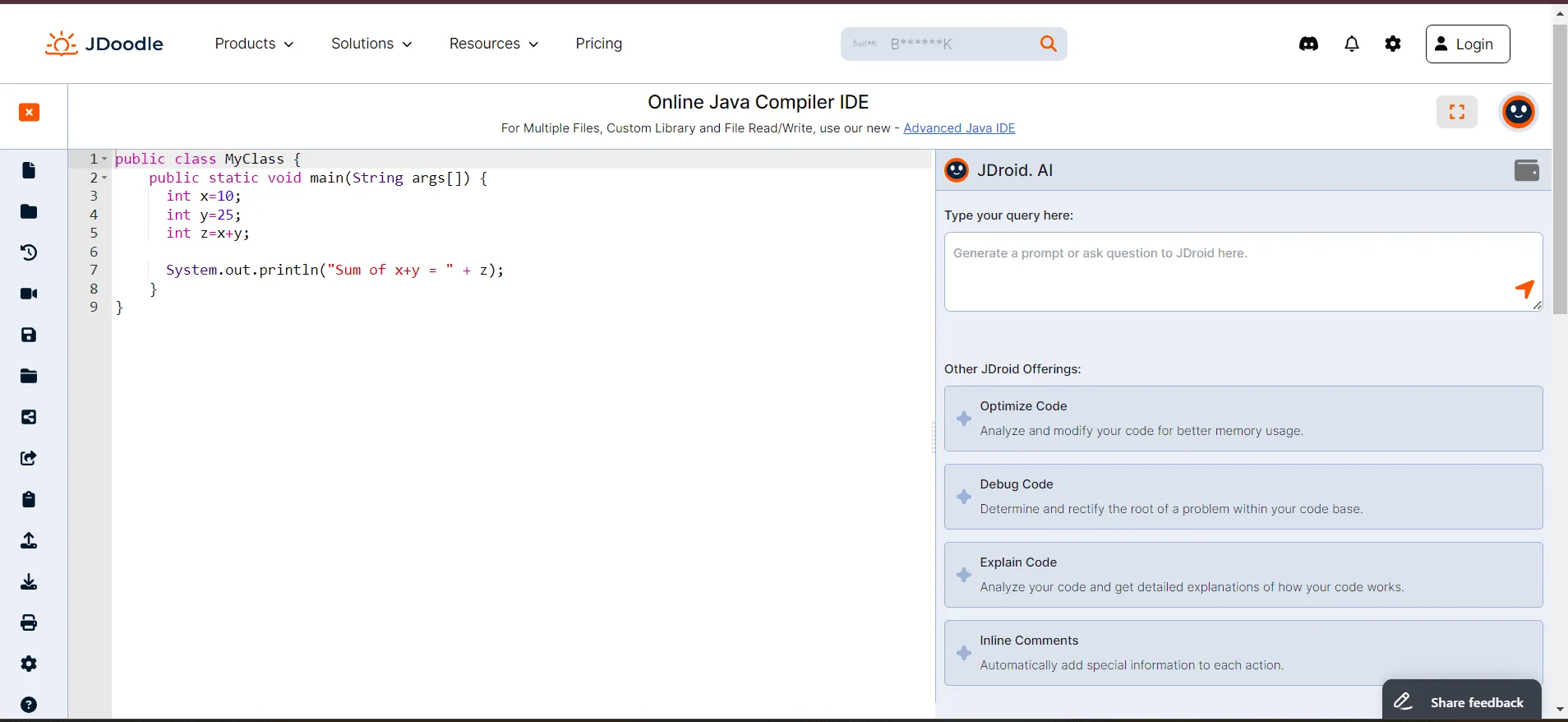
Besides being a part of the IDE, users who wish to utilize JDroid’s capabilities can use our JDoodle AI API. JDoodle also has an open-source ML library for deploying production-ready AI inference endpoints. JDroid’s functionalities are currently getting integrated into all product offerings from JDoodle. Note : We regularly update the models used in JDoodle AI to include the latest advancements and tailor them to our own datasets. This process helps us improve JDoodle AI’s ability to understand and generate code effectively.
What are the requirements for using JDoodle AI?
To access JDoodle AI’s features, you must log in or create a JDoodle account. With a free JDoodle account, you get 15 FREE AI credits daily. If your AI credits have expired, JDoodle AI will not give any output. In that case, you will need to wait for your credits to refresh or upgrade your plan. Please note that JDoodle AI credits reset at 12:00 UTC.
- To create a new JDoodle account, check this documentation.
- You can get unlimited credits daily with a JDoodle Pro account.
- To get more AI credits, refer to the pricing page or contact us for custom plans.
What coding tasks can JDoodle AI perform?
Here are the current coding tasks JDoodle AI can perform:
Generate new code
The generate new code feature turns plain text into functional code. However, the plain text should be a proper coding query, like for example, you can ask JDoodle AI to generate a code for the Fibonacci series but you cannot ask questions like the meaning of flabbergasted. Read More →
Explain code
The explain code feature creates a detailed explanation of the code line-wise and also explains the code logic. It is useful especially for students and educators to offer quick explanations of the code they’ve written or generated with JDoodle AI. Read More →
Debug code
The debug code feature quickly resolves all the errors and bugs in your code and provides a corrected code that you can replace directly on the IDE editor and use. Read More →
Comment code
The comment code feature adds comments to every line of your code. It helps you improve code readability and offers easy code explanations to learners. Read More →
Optimize code
The optimize code feature enhances the performance of your code by structuring it to reduce compilation time. Read More →
JDoodle AI Chat
JDoodle AI chat is a new jDroid feature that lets you talk to JDoodle AI and get help in any coding related query.
Introducing FlockServe
FlockServe is an open-source library for deploying AI inference endpoints with features like autoscaling, load balancing, and monitoring. It uses SkyPilot for node provisioning, enabling autoscaling based on request volume and compatibility across cloud providers. FlockServe supports any inference engine, with examples for vLLM and TGI, and is built on FastAPI and uvicorn for asynchronous request processing. FlockServe’s modular design allows for customizable autoscaling, using a running mean estimate of request queue lengths, and load balancing through Least Connection Load Balancing, optimized for LLMs. Read More →
Future plans for JDoodle AI
Here’s the list of JDoodle AI’s planned offerings that will be nested under the IDE.
- Code Completion: Provide a code snippet and let JDoodle AI complete the rest of the code for you.
- **Code Translation: **Change the language of your code from the programming language it’s written into any other language you choose.
JDoodle AI for education
Besides the above offerings, we will introduce automated assignment creation for teachers and educators, where they can generate programming assignments on the Assessment platform by giving a few specifics like the assignment topic and level. Educators will also have an option to disable AI for their students.
Support and resources
If you have any questions or queries, please let us know by filling out this contact form.